
Install and Configure the Vega ESLint Plugin
The Vega ESLint plugin, eslint-plugin-kepler, provides automated linting rules for Vega apps, helping you discover and fix performance and compatibility issues.
Prerequisites
Install the plugin and its dependencies:
npm install --save-dev @amazon-devices/eslint-plugin-kepler jsonc-eslint-parser
Configure the plugin
-
Update
extends,plugins, andoverridessections of your.eslintrcconfiguration file:{ "extends": [ "@react-native", "eslint:recommended", "plugin:@amazon-devices/eslint-plugin-kepler/kepler" // add the extension ], "plugins": [ "@typescript-eslint", "@amazon-devices/kepler" //include the plugin ], "overrides": [ { "files": ["**/*.ts", "**/*.tsx"], "parser": "@typescript-eslint/parser", "parserOptions": { "project": "./tsconfig.json" }, { "files": ["package.json"], "parser": "jsonc-eslint-parser" // this parser is needed to check the package.json } ] }The plugin configurations include:
performance- Performance-related rules onlysystem-distributed-libs- System distributed library checks only (package.json validation and import informational flagging)
You can use both
performanceandsystem-distributed-libstogether to achieve the same result.module.exports = { plugins: ["@amazon-devices/eslint-plugin-kepler"], extends: [ "plugin:@amazon-devices/eslint-plugin-kepler/performance", "plugin:@amazon-devices/eslint-plugin-kepler/system-distributed-libs" ], } -
(Optional) Customize lint rules following ESLint's configure rules guide.
For rules provided by Vega ESLint plugin, see Understand the performance rules.
-
Specify custom formatter in
package.json:{ "scripts": { : "lint": "eslint src test package.json --ext .ts,.tsx --format node_modules/@amazon-devices/eslint-plugin-kepler/dist/formatters/default.js", : } } -
Run the linter:
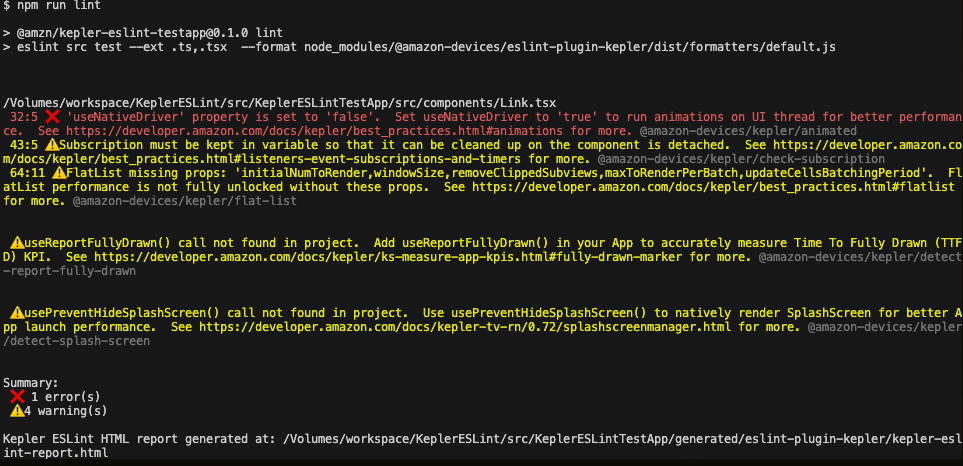
npm run lintYou can see the result on the console:

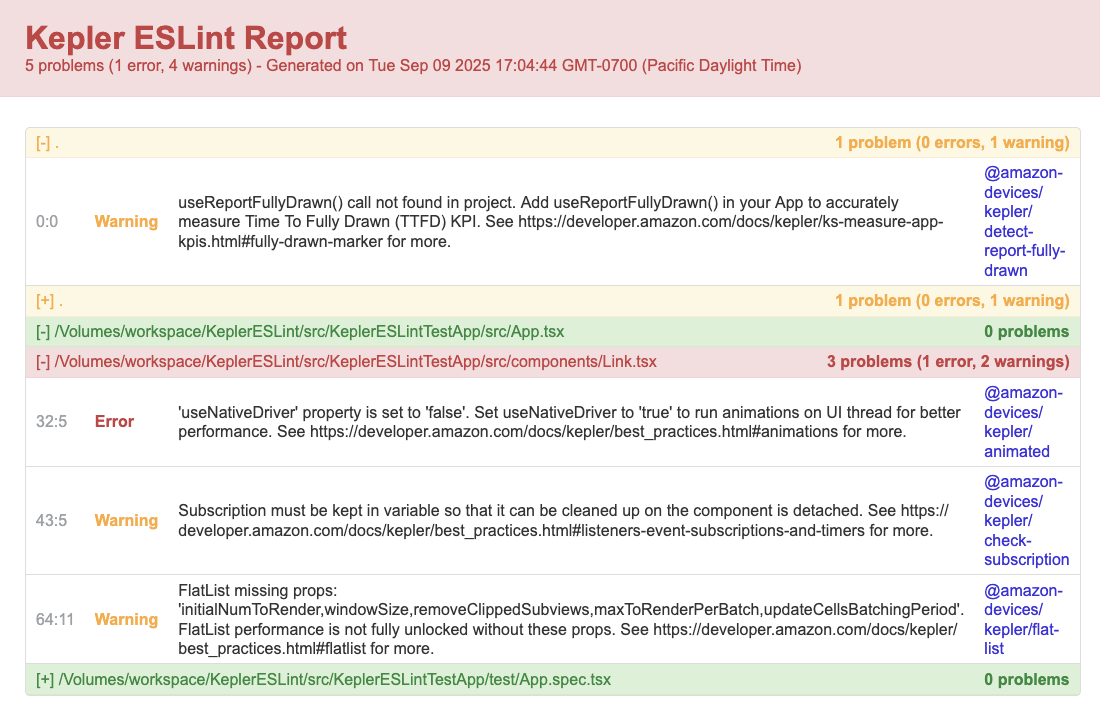
The linter also generates an HTML report:

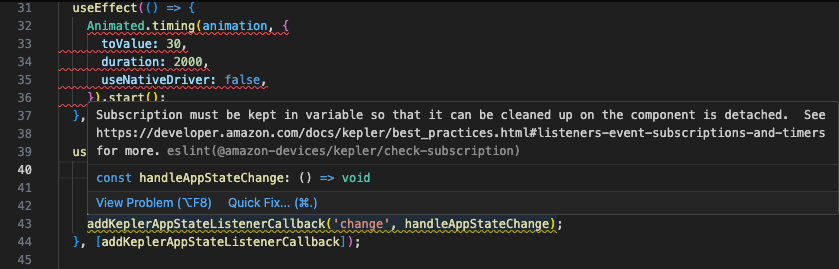
You can check these linter warnings on VS Code while hovering over your code:

Understand the performance rules
The following rules help identify common performance issues in Vega apps and enforce best practices for optimal runtime performance.
| Rule Name | Default severity | Description | Best Practice |
|---|---|---|---|
| @amazon-devices/kepler/flat-list | Warn - flags issues but doesn't fail builds | Checks if the FlatList element has enough properties | FlatList |
| @amazon-devices/kepler/check-subscription | Warn - flags issues but doesn't fail builds | Checks if callbacks installed by useAddVegaAppStateListenerCallback and useAddUserInputListenerCallback are properly unsubscribed | Listeners, event subscriptions, and timers |
| @amazon-devices/kepler/animated | Error - flags issues and fails build | Checks if Animated element component uses a native driver | The Animated library |
| @amazon-devices/kepler/detect-report-fully-drawn | Warn - flags issues but doesn't fail builds | Checks if the code invokes useReportFullyDrawn() properly | Fully drawn marker |
| @amazon-devices/kepler/detect-splash-screen | Warn - flags issues but doesn't fail builds | Checks if the code invokes usePreventHideSplashScreen() and useHideSplashScreenCallback() properly. | SplashScreenManager |
Understand the system distributed library rules
The following rules detect system distributed library usage and guide you on proper implementation.
| Rule Name | Default severity | Description |
|---|---|---|
| @amazon-devices/kepler/sdl-package-version-check | Error | Validates that system distributed library dependencies in package.json use proper semantic versioning. |
| @amazon-devices/kepler/sdl-package-version-check-imports | Warn | Flags system distributed library imports to remind you they work differently than standard React Native libraries. |
(Optional) Configure semantic version guidance
The system distributed library rules check semantic versioning in your package.json dependencies. By default, the plugin uses auto mode to detect your project's versioning settings.
Override the default by setting the semverGuidance option:
- Patch only mode (
semverGuidance: "patch"): Restricts updates to patches using~prefix. - Minor and patch mode (
semverGuidance: "minor"): Allows minor updates using^prefix. - Auto mode (
semverGuidance: "auto"): Detects settings based on project signatures in the project repo. This is the default.
Example configuration using patch-only mode:
module.exports = {
  plugins: ["@amazon-devices/eslint-plugin-kepler"],
  rules: {
    "@amazon-devices/kepler/sdl-package-version-check": [
      "error",
      { semverGuidance: "patch" },
    ], // auto is the default
    "@amazon-devices/kepler/sdl-package-version-check-imports": [
      "warn",
      { semverGuidance: "patch" },
    ],
  },
};
(Optional) Configure VS Code for JSON validation
If you want to see errors and warnings in VS Code's package.json, add json to these settings.json entries:
"eslint.validate": [
    "javascript",
    "javascriptreact",
    "typescript",
    "typescriptreact",
    // add the line below
    "json"
  ],
  "eslint.probe": [
    "javascript",
    "javascriptreact",
    "typescript",
    "typescriptreact",
    // add the line below
    "json"
  ],
Related topics
Last updated: Jan 14, 2026
